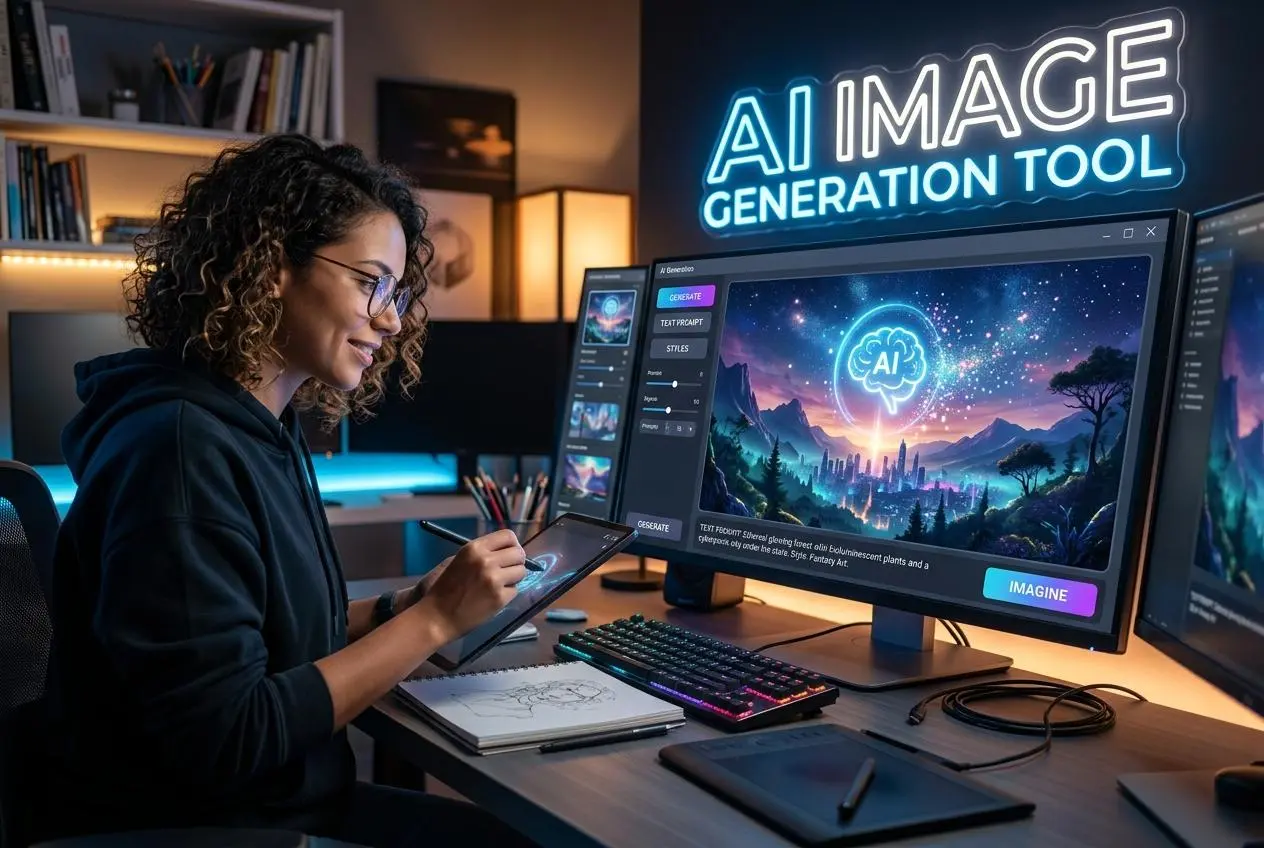
Creating professional-looking images no longer requires expensive design software or advanced artistic skills. With free AI image generators, beginners can turn simple text descriptions into illustrations, realistic scenes, product concepts, blog graphics, and social media visuals.
These tools can be useful for bloggers, marketers, students, small business owners, and content creators who need original visual ideas without hiring a designer for every project.
However, not every free image generator offers the same experience. Some produce realistic images, while others are better at illustrations, creative artwork, or images containing readable text. Free plans can also restrict the number of generations you receive, the resolution of your downloads, or how you are allowed to use the results commercially.
In this beginner's guide, we compare seven popular options, explain their strengths and weaknesses, and help you choose the best free AI image generator for your needs.
Quick Comparison of Free AI Image Generators
ToolImage quality and strengthsFree-plan limitsEase of useChatGPT ImagesVersatile scenes, illustrations, and conversational editingLimited image generation; allowance can varyVery easyGoogle GeminiRealistic scenes, creative concepts, and image editingUsage limits apply and may varyVery easyAdobe FireflyPolished creative visuals and design-oriented resultsLimited free generations; daily allowances can changeEasyLeonardo AIDetailed artwork, fantasy images, and creative control150 fast tokens per day on the listed free planModerateIdeogramPosters, typography, and images containing textFree weekly credits; exact allowance may varyEasyMicrosoft Bing Image CreatorGeneral-purpose illustrations and creative scenesFast-generation boosts with slower generation optionsVery easyStable DiffusionHighly customizable styles and detailed image generationNo platform quota when run locally; hardware requiredAdvanced
Free-plan limits are a snapshot, not a guarantee. Providers can change their models, credits, speed, and account restrictions. Leonardo's listed 150 daily fast tokens and its public-creation setting are documented on its official pricing page. Adobe currently describes limited free daily generations, while Ideogram describes weekly free credits.
1. ChatGPT Images — Best for Beginners
ChatGPT Images is a convenient option for people who want to generate pictures by describing what they imagine in ordinary language. Instead of learning complicated settings, you can request an image, review the result, and ask for specific changes.
For example, you could ask for a modern home office with natural light, a futuristic technology illustration, or a colorful featured image for a blog post about artificial intelligence.
Main features
- Generate images from text descriptions.
- Refine an image through follow-up instructions.
- Explore different visual styles and compositions.
- Create illustrations and conceptual visuals.
- Use conversational prompts to make adjustments.
Image quality: Versatile, with results depending on the prompt, model availability, and requested style.
Free-plan limitations: Image generation is limited on free accounts. The available allowance and access to advanced features may change, so check the current interface.
Commercial use: OpenAI's terms state that, between OpenAI and the user and to the extent permitted by law, users own their outputs. That does not guarantee that every output is free of third-party copyright, trademark, or other legal issues.
Ease of use: Very easy. You can describe what you want without learning specialist image-generation terminology.
Strengths
- Simple, conversational interface.
- Convenient for requesting revisions.
- Useful for blog graphics and creative concepts.
- Works well for users who already use ChatGPT for writing.
Weaknesses
- Free usage is limited.
- Exact results may require several attempts.
- Detailed text in an image may still need checking.
- It is not a replacement for professional image-editing software in every workflow.
Best for: Beginners, bloggers, and content creators who want to generate and refine images through conversation.
Website: ChatGPT
2. Google Gemini — Best for Everyday Image Creation
Google Gemini is another accessible choice for generating and editing images. Users can describe a scene, request creative variations, and explore visual concepts through a conversational interface.
It is useful when you need an image for an article, an illustration for an educational explanation, or a concept image to accompany a presentation.
Main features
- Create images from text prompts.
- Explore different creative styles.
- Refine visual ideas through follow-up requests.
- Develop illustrations for educational and informational content.
- Combine brainstorming and image creation in one workflow.
Image quality: Suitable for a broad range of everyday creative tasks, including realistic-looking scenes and illustrations. Results vary by model and prompt.
Free-plan limitations: Image generation uses account-based limits that can change. Do not assume that every account receives the same number of images each day.
Commercial use: Review Google's current terms and the conditions that apply to the particular service and output before using images in advertisements, products, or client work.
Ease of use: Very easy for beginners who can describe their ideas in natural language.
Strengths
- Accessible interface.
- Useful for experimenting with image concepts.
- Supports an iterative creative workflow.
- Convenient for people who already use Google services.
Weaknesses
- Free-generation availability can vary.
- Some advanced capabilities may require a paid plan.
- Generated details can be inaccurate.
- Usage terms should be reviewed before commercial publication.
Best for: Beginners who want a straightforward tool for everyday image creation.
Website: Google Gemini
3. Adobe Firefly — Best for Design and Commercial Projects
Adobe Firefly is designed for creative workflows, including image generation and editing. It can be useful for creating advertising concepts, background images, illustrations, and other visual assets.
One of Firefly's distinguishing features is Adobe's emphasis on commercially oriented generative AI. Adobe says its own Firefly models are trained on licensed content and public-domain content where copyright has expired. It also explains that outputs from its Firefly models can be used commercially, subject to applicable terms and conditions. Outputs from partner models may have different considerations.
Main features
- Generate images from text prompts.
- Explore creative styles and visual concepts.
- Use supported generative editing features.
- Create assets for design-oriented projects.
- Work with Adobe's broader creative ecosystem.
Image quality: Well suited to polished creative visuals and design-oriented tasks.
Free-plan limitations: Adobe currently offers limited free daily generations. The number of available generations, supported features, and accessible models may change.
Commercial use: Adobe permits commercial use of outputs from its Firefly models under its applicable terms. This is not a universal guarantee for every partner model, third-party asset, or possible intellectual-property claim.
Ease of use: Easy for beginners, with additional capabilities for users familiar with design tools.
Strengths
- Strong connection to creative design workflows.
- Useful for backgrounds and polished visual concepts.
- Adobe emphasizes licensed training data for its Firefly models.
- Integrates with supported Adobe creative products.
Weaknesses
- Free generations are limited.
- Some features require a subscription or additional credits.
- Results from partner models may be subject to different conditions.
- Users still need to review images for accuracy and potential rights issues.
Best for: Designers, marketers, and business owners who want to explore AI visuals for professional projects.
Website: Adobe Firefly
4. Leonardo AI — Best for Creative Artwork
Leonardo AI is aimed at people who want more control over the appearance of their generated images. It offers multiple models and creative tools that can help users produce fantasy artwork, game concepts, illustrations, and stylized visuals.
Its official pricing page lists a free plan with 150 fast tokens per day. Free-plan creations are public, and the platform's terms distinguish ownership and usage rights between free and paid subscribers. Free users receive a commercial-use license, but Leonardo retains ownership rights under its terms.
Main features
- Generate artistic images from prompts.
- Experiment with different models and styles.
- Refine images with supported editing tools.
- Explore concept art and fantasy visuals.
- Adjust generation settings where available.
Image quality: Strong for a range of artistic styles, concept art, and detailed creative imagery.
Free-plan limitations: The free plan includes 150 fast tokens per day, with the number of images you can generate depending on the model and settings.
Commercial use: Commercial use is permitted under the free-plan license, but Leonardo retains rights to free-tier outputs and creations are public. Avoid using the free tier for confidential client concepts or sensitive unreleased work without carefully reviewing the applicable terms.
Ease of use: Moderate. Beginners can start with simple prompts, but the extra settings may take time to understand.
Strengths
- A range of artistic models and styles.
- Useful for fantasy and concept artwork.
- Daily token allowance.
- Additional creative controls for experimentation.
Weaknesses
- Token costs vary by feature and settings.
- The interface can feel complex to newcomers.
- Free creations are public.
- Ownership rights differ from those offered to paid subscribers.
Best for: Digital artists, game creators, and bloggers who need distinctive illustrations.
Website: Leonardo AI
5. Ideogram — Best for Text Inside Images
A common problem with AI image generators is inaccurate lettering. A poster may look attractive but contain misspelled words, distorted characters, or text that is difficult to read.
Ideogram is worth considering when the image needs typography, such as a poster, thumbnail, promotional graphic, or title-led visual.
Main features
- Generate images that incorporate text.
- Create poster and typography concepts.
- Explore different visual styles.
- Produce graphics for social media and other digital content.
- Experiment with image variations.
Image quality: Particularly useful for typography-focused graphics, though the spelling and layout of every result should still be checked.
Free-plan limitations: Ideogram offers weekly free credits, and its pricing information says eligible free accounts receive weekly credits. The allowance can vary, so check the current plan.
Commercial use: Ideogram's service information says users may use generated images commercially, subject to its terms and policies. Its standard free experience also publishes images by default, so do not assume that your creations are private.
Ease of use: Easy for beginners who want to generate graphics containing words.
Strengths
- Useful for text-heavy designs.
- Suitable for posters and social graphics.
- Offers a simple prompt-based workflow.
- Helps explore several design directions quickly.
Weaknesses
- Free credits are limited.
- Free creations may be publicly visible.
- Generated text can still contain errors.
- It is not a substitute for final typography and layout checks.
Best for: Bloggers and marketers creating thumbnails, posters, or text-based promotional images.
Website: Ideogram
6. Microsoft Bing Image Creator — Best for Quick, Simple Generation
Microsoft's Bing Image Creator provides a straightforward way to generate images from text prompts. It is useful for people who want to experiment with creative scenes without installing software or learning a complex interface.
Main features
- Generate images from descriptions.
- Explore creative visual concepts.
- Try different prompt variations.
- Access image creation through Microsoft's supported online experience.
Image quality: Useful for general-purpose illustrations and creative concepts. Results depend on the selected model and prompt.
Free-plan limitations: The service has offered fast-generation boosts, with slower generation available after those boosts run out. The exact allowance and generation options can change.
Commercial use: Do not assume that a free account grants unrestricted commercial rights. Review the current Microsoft service terms and the conditions that apply to your account before using outputs for business purposes.
Ease of use: Very easy. It is designed for users who want to enter a prompt and generate an image quickly.
Strengths
- Straightforward online workflow.
- Useful for casual image generation.
- Does not require a local installation.
- Helpful for experimenting with different visual ideas.
Weaknesses
- Generation speed and allowances can vary.
- Some features depend on account and regional availability.
- Commercial-use conditions need checking.
- Detailed images may require several attempts.
Best for: Beginners who want to create simple visuals quickly.
Website: Bing Image Creator
7. Stable Diffusion — Best for Users Who Want More Control
Stable Diffusion is a family of image-generation models that can be run through compatible software on your own computer or accessed through third-party platforms.
A local setup can provide greater control over image generation and avoid a hosted service's daily quota. However, you need compatible hardware, software, and time to configure the system.
Main features
- Generate images from text prompts.
- Customize supported models and settings.
- Experiment with artistic styles.
- Use compatible workflows for image-to-image generation and editing.
- Run models locally without relying on a single hosted image generator.
Image quality: Can be very strong, depending on the model, settings, and hardware.
Free-plan limitations: Local generation does not have a provider-imposed daily quota, but performance depends on your hardware. Third-party hosted versions may impose their own limits and fees.
Commercial use: Rights depend on the exact model and its license. For example, Stability AI's Community License has conditions for commercial use, including an annual-revenue threshold. Check the license for the particular model and version rather than assuming all Stable Diffusion models share the same rules.
Ease of use: Advanced compared with browser-based tools. Installation and configuration may be difficult for first-time users.
Strengths
- Extensive customization options.
- Potential for repeated local generation without daily platform caps.
- Useful for technical and artistic experimentation.
- Greater control over supported generation workflows.
Weaknesses
- Setup can be complicated.
- A suitable computer may be required.
- Quality varies between models and configurations.
- Model licenses must be reviewed individually.
Best for: Technically confident users, digital artists, and creators who need more control.
Website: Stability AI
How to Choose the Best Free AI Image Generator
The right tool depends on the kind of image you want to make and how you intend to use it.
Your goalTool to try firstWhyCreate your first AI imageChatGPT ImagesConversational prompts and revisionsMake everyday illustrationsGoogle GeminiStraightforward image creationExplore professional design visualsAdobe FireflyDesign-oriented tools and commercial-use guidanceCreate fantasy art and conceptsLeonardo AICreative controls and model choicesGenerate posters with wordsIdeogramTypography-focused image generationMake a quick visual onlineBing Image CreatorSimple browser-based workflowCustomize your image-generation setupStable DiffusionLocal control and flexible workflows
You do not need to learn all seven tools. Pick one based on your main goal and experiment with it before moving to another platform.
How to Write Better Prompts for AI Image Generators
A clear prompt can make a significant difference to the quality of an image. You do not need advanced technical knowledge, but you should describe the subject, style, composition, lighting, and intended use.
1. Describe the subject clearly
Instead of writing "a robot," try:
"A friendly silver robot sitting at a desk in a modern technology office, looking at a laptop."
2. Specify the visual style
Mention whether you want a realistic photograph, a 3D illustration, a watercolor painting, a flat vector graphic, or a cinematic scene.
3. Describe the composition
Tell the generator where the main subject should appear and whether you need empty space for a headline or text overlay.
4. Include lighting and colors
For example, request soft natural lighting, a dark blue background, warm highlights, or a minimalist palette.
5. State the image's purpose
An image for a blog article may need a wide composition, while a social media post might need a square or vertical layout.
Example prompt for a blog featured image
"Create a professional 16:9 featured image for a technology blog article about free AI image generators. Show a creative digital workspace with a laptop displaying colorful AI-generated artwork, abstract image panels, and subtle futuristic details. Use clean composition, modern lighting, crisp visual detail, and balanced colors. Leave empty space on the left for a headline. Do not include logos, watermarks, or unreadable text."
If the result is close but not quite right, request one change at a time. For example, ask the generator to simplify the background, move the main subject to the right, or make the colors less saturated.
Can You Use AI-Generated Images Commercially?
Sometimes, yes. However, free access does not automatically mean unrestricted commercial use.
Before publishing or selling an AI-generated image, check the provider's current terms and the specific plan you used.
Pay attention to these five issues:
- Commercial-use permission: Does the license allow use on monetized websites, in advertisements, or in products for sale?
- Ownership: Does the provider assign rights to you, retain ownership, or grant a limited license?
- Privacy: Are free creations publicly visible or available for others to reuse?
- Third-party rights: Does the image contain recognizable logos, protected characters, or a person's likeness?
- Model-specific terms: Does a third-party model have different licensing rules from the platform's own model?
For example, Leonardo's terms distinguish between free and paid users, while Adobe's commercial-use guidance distinguishes its Firefly models from partner models.
If you plan to use AI images on a monetized blog, keep a record of the tool, model, date, and relevant terms. Review the image before publication, and do not rely on a tool's marketing claims as a substitute for understanding its license.
Are Free AI Image Generators Good Enough for Bloggers?
For many blogs, yes. Free image generators can help create:
- Article featured images.
- Illustrations for tutorials.
- Images for social media promotion.
- Concept visuals for technology articles.
- Educational graphics and diagrams.
- Backgrounds and decorative artwork.
They can also reduce the need to reuse the same generic stock images across multiple articles.
However, generated images should support the article rather than simply fill space. A relevant, accurate image can help explain a topic, while an attractive but misleading image may confuse readers.
For a technology website, you could use AI-generated visuals to illustrate concepts such as robotics, cybersecurity, cloud computing, or machine learning. If an article discusses a real software interface, product, or technical process, use an authentic screenshot or verified illustration when accuracy matters.
Frequently Asked Questions
What is the best free AI image generator for beginners?
ChatGPT Images and Google Gemini are good starting points because they use conversational prompts and make it easy to request changes. The best choice depends on current free access, image quality, and your preferred workflow.
Are free AI image generators really free?
Many offer free image generation, but the number of images, available models, resolution, generation speed, or editing features may be restricted. Some require a paid subscription for more extensive use.
Which free AI image generator is best for text in images?
Ideogram is a useful option for posters, thumbnails, and graphics that include words. Even with specialized tools, review spelling, punctuation, and layout before publishing.
Can I use free AI-generated images on a monetized website?
Possibly, depending on the provider's license and terms. Check commercial-use permissions, ownership rules, privacy settings, and any third-party rights that may apply to the image.
Do AI image generators add watermarks?
Watermarking varies by tool, model, and type of content. Some services use visible marks, while others may include invisible provenance information. Check the current service documentation and output details.
Can I generate AI images without daily limits?
You may avoid a hosted provider's daily limit by running a compatible open model locally, but this requires suitable hardware and setup. Local use is not automatically unrestricted: model licenses and technical constraints still apply.
What resolution should I choose for blog images?
A wide image around 1200 pixels across is a practical starting point for many blog featured images, but follow your website theme's specifications. Compress images appropriately, use modern image formats where supported, and add descriptive alt text.
Are AI-generated images safe for SEO?
AI-generated images can support useful content, but using AI does not automatically improve search rankings. Ensure images are relevant, accurate, appropriately licensed, optimized for performance, and accompanied by useful surrounding content.
Final Verdict
The best free AI image generators make it easier to turn ideas into visuals without requiring professional design skills. ChatGPT Images and Gemini are convenient starting points, Adobe Firefly is worth exploring for design-focused projects, Leonardo AI offers creative controls, Ideogram is useful for typography, Bing Image Creator is straightforward, and Stable Diffusion provides more flexibility for technical users.
Before choosing a tool, compare not only the image quality but also the free allowance, generation speed, commercial-use rules, and privacy settings. These factors determine whether a tool will fit your actual workflow.
Start with one generator, create a few test images, and compare the results. With clear prompts and careful review, you can build a practical image-generation workflow without immediately paying for a subscription.
Free tools to put this into practice